Digital smile design (DSD) is a planning method that uses photos, video, scans and software to show you a proposed new smile before any treatment begins. It is a preview and a plan, not a treatment in itself. The result is a shared picture that you and your dentist can adjust together, instead of guessing from words alone. Here is how the process works, what technology is involved, where its limits are, and how to decide whether it fits your case.
TL;DR
- Digital smile design uses photos, scans and software to simulate a proposed smile, so you can react to a picture instead of an idea.
- A physical mock-up, often tried in your mouth, lets you judge look and speech before anything permanent is done.
- Research reports good satisfaction, but a simulation is a guide, not a guarantee. Gums, bite and tooth movement can behave differently than the model.
- Insurance usually treats it as elective, so ask for the fee in writing before you start.
- It is most useful when several treatments could be combined, such as whitening, veneers, crowns, aligners or implants.
Table of Contents
- What digital smile design is
- How the process works, step by step
- What technology may be involved
- Who it helps most
- Benefits you can reasonably expect
- Limits worth knowing
- What it costs and whether insurance helps
- How long it takes
- Our perspective on digital smile design
- Planning a smile makeover at Towne Dental
- Questions to ask any dentist before you start
- FAQ
- Sources
What digital smile design is
DSD is a dental planning tool used in aesthetic dentistry to digitally simulate and visualize proposed smile improvements before treatment starts. Its purpose is to help patients and clinicians align on expectations. A narrative review describes it as a combination of digital technology, esthetic principles, specialized software and imaging, and restorative planning.
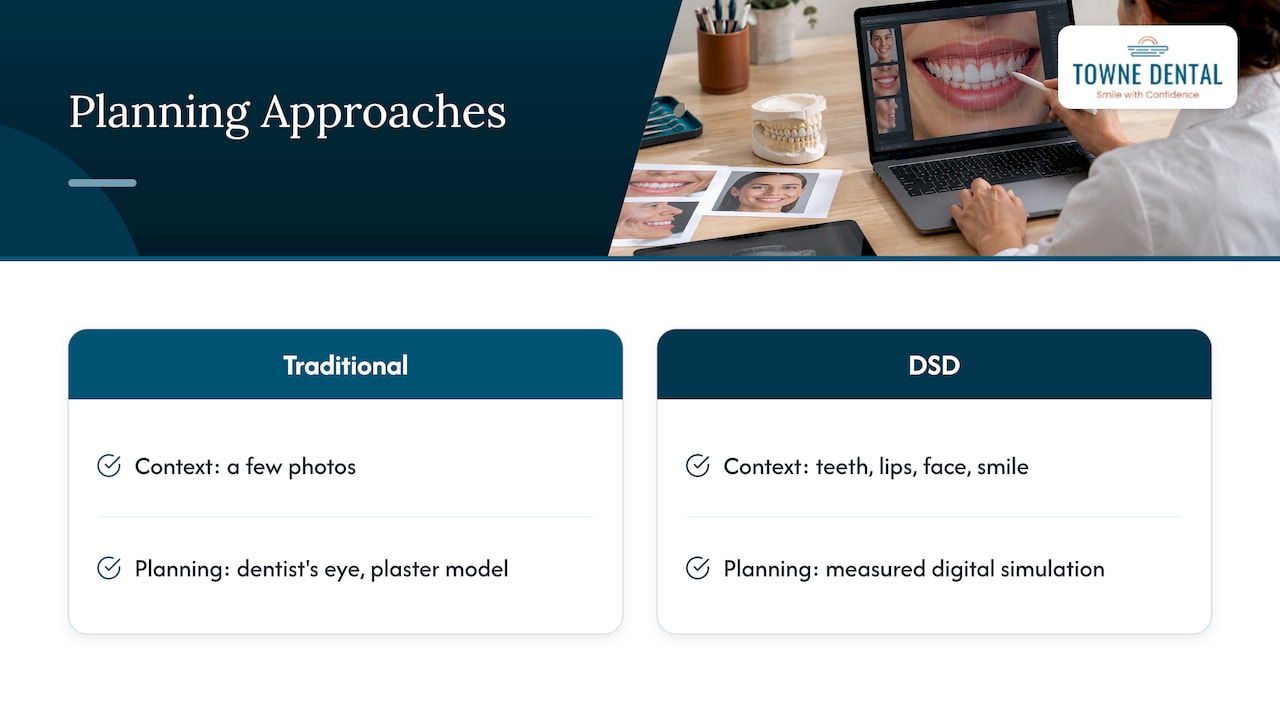
The key word is planning. Traditional cosmetic work often relied on a dentist’s eye, a few photos and a plaster model. DSD adds measurement. The software looks at your teeth in the context of your lips, your face and the way you smile. According to a published review, it can pick up facial and dental traits that may go unnoticed in ordinary photographs or by the human eye.
What does that look like for you? Typically, you see your own face with a proposed set of teeth placed on it. You can say “a little longer,” “less square,” or “I want it to look natural, not bright white,” and the design changes.
How the process works, step by step
Exact protocols differ from office to office. Published workflows share the same backbone.
1. Conversation and goals
It starts with you. What bothers you? Chips, gaps, color, a gummy look, worn edges, missing teeth? What do you want to keep? A good plan begins with what you say, not with software.
2. Records: photos, video and scans
A DSD workflow begins with high-quality digital records. The narrative review notes these typically include facial photographs, intraoral scans and radiographs, which become the foundation for analysis. You may be photographed smiling broadly, relaxed, and saying a few words, because a smile in motion tells the dentist more than a posed one.
Depending on the case, the data can go further. Coachman and colleagues list 2D photographs, radiographs and videos, 3D face scans, intraoral scans, bite records and CBCT scans as possible inputs. Many cases need only a subset.
3. Digital analysis and design
The dentist overlays reference lines and shapes on your images to study tooth proportions, midline, the curve of your lip and how much tooth shows. Then a proposed design is drawn. Some software is general-purpose presentation or photo tools, while others are dedicated smile-design programs. One review lists options from Photoshop and Keynote to NemoDSD and exocad DentalCAD.
4. The preview
You see the simulated result on your own photo or video. This is where most people find out what they actually like. Some patients ask for bigger changes than they expected; others realize they want less.
5. The physical mock-up
A picture on a screen is one thing. A trial in your mouth is another. Specialized software can simulate designs, and a physical mock-up can be tried in the patient’s mouth to evaluate appearance and phonetics before treatment. Phonetics matters: teeth that look great but make an “s” or “f” sound off are a design problem you want to find early.
In a U.S. clinical example, the Systematic Treatment Evaluation Protocol (STEP) shows how two-dimensional digital analysis can be integrated with three-dimensional diagnostic wax-ups. That pairing, a flat digital plan confirmed by a 3D model, is the logic behind most modern workflows.
6. Decision and treatment plan
Only now do you choose. The design becomes a sequence of treatments, with a clear order, estimated visits and costs. You can take time, ask questions and decline.
What technology may be involved
Not every office uses all of this, and you do not need all of it for a good result. A full digital workflow may use a computer with smile-design software, a digital SLR camera or smartphone, an intraoral scanner, a 3D printer and CAD/CAM.
| Tool | What it does for you |
|---|---|
| Photos and video | Capture your smile, lips and face in motion |
| Intraoral scanner | Records your teeth digitally, often replacing trays of impression material |
| Face scan | Adds a 3D record of your face for design |
| CBCT or radiographs | Show roots, bone and other structures under the surface |
| 3D printer | Produces models or mock-ups of the proposed design |
| CAD/CAM | Designs and makes final restorations such as crowns or veneers |
Smartphones have become part of this picture. A 2020 technique report notes that current smartphones can capture video, a frontal photograph and a facial scan, while intraoral scans can produce 3D color images. The same report describes combining a facial photo, a face scan and an upper-arch scan, then exporting the design for 3D printing.
Who it helps most
DSD is not reserved for a particular type of person. It tends to be most useful when:
- You want a visible change and want to see it first. Chipped, worn, uneven, discolored or gapped teeth are common reasons.
- More than one treatment is on the table. Whitening, bonding, veneers, crowns, gum reshaping and aligners can overlap. A single plan keeps them in the right order. Our cosmetic dentistry page covers teeth whitening and veneers.
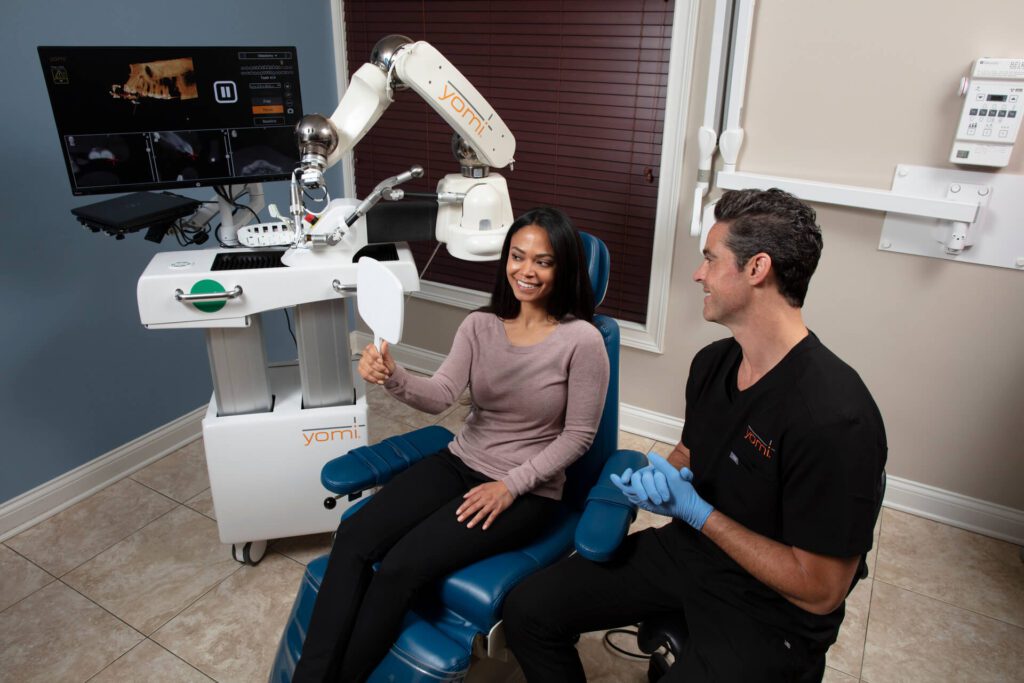
- Teeth are missing or failing. Implants, bridges or dentures change how your smile looks. For implant cases, a digital plan fits naturally with robot-assisted placement, and our dental implants care includes it.
- You are straightening teeth. Clear aligners are planned digitally anyway. See clear aligners.
- You feel nervous about committing. Seeing a preview makes a big decision feel less like a leap.
It may not be needed for a single small filling or a routine cleaning. Before cosmetic work, your dentist should also confirm your teeth and gums are healthy, because decay or gum disease needs treatment first. Our general dentistry team handles that foundation.
For a walk through the wider journey, from first visit to final result, read our smile makeover process guide.
Benefits you can reasonably expect
Better communication. The main benefit is shared understanding. You see the plan, the dentist hears your reaction, and misunderstandings surface before they cost money.
Satisfaction. A randomized controlled trial in India reported higher patient satisfaction and more excellent treatment outcomes with DSD than with conventional smile design. A systematic review found that studies with follow-up reported stable long-term outcomes and improved self-confidence. These are encouraging findings, and they describe groups of patients, not a promise for any one person.
Fewer surprises. Because you try a mock-up first, you can ask for adjustments to length, shape or shade while it is easy to change.
A tidier workflow. With intraoral scans and digital design, there is often less need for traditional impression trays, which many patients find a relief, especially if they gag easily.
Limits worth knowing
A good dentist tells you what the preview cannot do.
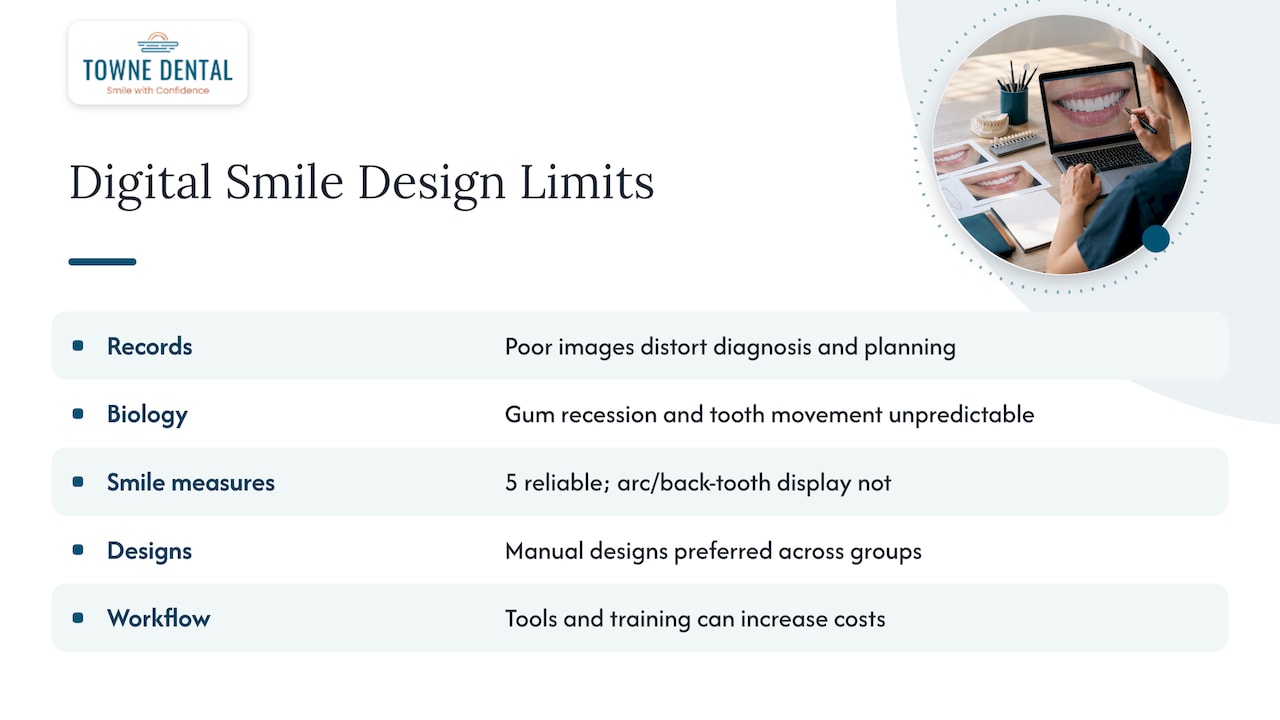
It is only as good as the records. Poor photos or video can distort the reference image and lead to incorrect diagnosis and planning. That is why careful image capture comes first.
The simulation is not the result. Digital models rely on math, and they can struggle to account for unpredictable biology such as post-treatment gum recession or real tooth movement. In a 2024 aligner-preview study, five quantitative smile measures were reliable predictors, while smile arc and back-tooth display were not. Treat the preview as a close guide, not a photograph of your future.
Automated designs are not always preferred. A 2025 study found that manually crafted smile designs were consistently preferred across participant groups when compared with AI-generated ones. Software proposes; a clinician’s judgment still shapes the smile.
Technology adds cost. A complete 3D digital workflow needs software, scanners, a printer, CAD/CAM and training, which can increase costs. Ask which parts of the workflow your plan actually uses.
What it costs and whether insurance helps
DSD is usually offered as part of a cosmetic evaluation or as a planning fee, and the amount depends on the dentist and how complex your case is. Because dental plans in the U.S. commonly classify visualization as elective or cosmetic, it is often not covered, so plan on paying out of pocket. The treatments that follow may be handled differently: a crown or a filling that is medically needed may have coverage, while purely cosmetic work may not.
Three practical steps:
- Ask the office whether the design fee is separate or credited toward treatment.
- Request a written estimate that lists each stage of the plan.
- Check your plan’s rules. If braces or aligners are part of the plan, using HSA/FSA funds and predetermination of benefits can reduce what you pay yourself.
We do not publish set prices for DSD or our other services online, because the right plan depends on your mouth. We give you a clear estimate after we examine you.
How long it takes
There is no single answer. A simple case may need an evaluation visit and a follow-up to review the design and try a mock-up. A larger case, with scans, a 3D model and several treatments, naturally takes more appointments and more time between them. The planning stage is generally short compared with the treatment that follows, which can run from a single visit for whitening to many months for aligners or implants with healing time. Ask for a timeline with the estimate, so you know how many visits to expect.
Our perspective on digital smile design
We think of digital planning as a way to make care gentler and more precise, not as a gadget. Many of our patients arrive anxious, and uncertainty feeds anxiety. When you can see the plan, know the order of steps and approve each one, the experience feels calmer.
The same thinking drives how we place implants. We use the Yomi® robot to assist with precision and less invasive procedures, and planning ahead is what makes that possible. A smile design and an implant plan should agree with each other: where the teeth will end up, and where the implants must go to support them.
We also hold a firm line on honesty. A preview is a tool. It will not tell you how your gums will heal or exactly how teeth will shift. We would rather tell you what is likely and what is uncertain than oversell a picture. If your teeth need a filling, gum care or a root canal first, we say so before talking about veneers.
— Towne Dental
Planning a smile makeover at Towne Dental
If you live in Fort Myers, Cape Coral, Naples, Bonita Springs, Estero, Marco Island or Ave Maria, our team can walk you through a personalized plan, from cosmetic options to implants, with sedation available if dental visits make you nervous. Start on our cosmetic dentistry page or see everything we offer on our services page.
Questions to ask any dentist before you start
- Which records will you take, and will I see the design on my own face?
- Can I try a mock-up in my mouth before anything is permanent?
- Which parts of this plan are cosmetic, and which are medically needed?
- Who designs the final restorations, and can I review changes?
- What is the written fee, and what does it include?
- What could make the final result differ from the preview?
A confident clinician answers these plainly. If answers stay vague, keep looking.
FAQ
What is digital smile design?
It is a planning method that uses photos, video, scans and software to simulate a proposed smile. You and your dentist review it together before any treatment begins. It guides the work but does not replace the treatment itself.
How much does digital smile design cost?
The fee varies by dentist and by how complex your case is, and some offices fold it into the cost of treatment. Insurance often treats it as elective, so expect to pay out of pocket. Ask for a written estimate that separates the design fee from the treatment.
How long does digital smile design take?
Planning is usually shorter than treatment. Simple cases may need an evaluation and a follow-up visit, while complex ones need more scans, models and review. Your dentist should give you a timeline with the estimate.
Will my final smile look exactly like the preview?
Not necessarily. Research notes that simulations rely on math and can miss biological changes such as gum recession or tooth movement. A mock-up and clear communication help bring the result close to what you saw.
Do I need digital smile design for veneers or implants?
No, but it helps when your goals are visual or when several treatments must work together. For a single straightforward repair, a simpler plan may be enough. Your dentist can tell you which approach fits your case.
Sources
- Digital Smile Design: An innovative tool in aesthetic dentistry (PMC, 2020)
- Digital smile design tool overview (NCBI)
- Integrating digital smile design into restorative dentistry (PMC, 2024)
- Digital Smile Design (PMC, 2022)
- A Comprehensive Treatment Evaluation Protocol (Virginia Dental Journal)
- Chairside 3D digital design and trial restoration workflow (2020)
- The complete digital workflow in interdisciplinary dentistry (2021)
- Patient satisfaction and treatment outcomes with DSD (randomized trial, 2024)
- Digital Smile Design and patient-centered outcomes (systematic review)
- Smile preview prediction study (Scientific Reports, 2024)
- Facial aesthetics in AI-generated and manual smile designs (2025)